Too Many People [en]

[fr] J'ai atteint un point où je n'ai plus envie de faire de nouvelles connaissances. Je n'arrive déjà pas à voir les gens qui me sont chers autant que je voudrais. En ligne, les relations "délicates" (asymétriques, par exemple) sont plus faciles à gérer qu'hors ligne. De plus, les outils de "réseautage en ligne" nous aident à rester en contact avec plus de personnes qu'il ne nous serait normalement possible. Quand tout ça passe hors ligne, cela frise l'overdose.

This is a post in which I expect to be misunderstood, judged, and which will probably upset some. But it’s something that needs to be spoken about, because I’m certain I’m not the only one going through this, and I think it’s strongly related to what changes the internet is bringing into our lives when it comes to relating to people.

I’ve argued many times that online relationships and behaviors in general reproduce what goes on offline, so it may seem that I’m contradicting myself somewhat. But I think it’s also clear for everybody in this space that technology does change the way we live with others. Right now I see that our world is changing — it’s a bit blurry ahead, and actually I’m quite scared to see more clearly — and in our lifetimes, chances are the nature of human relationships will be deeply impacted by the technologies we are using and developing.

If all this doesn’t make sense, don’t worry. I’m not sure I understand what I’m saying myself. These might just be the tired rantings of a burnt-out and frustrated node in the network.

“Being an online person”, as I call it, means two things:

  • there are people out there who know you, sometimes quite well, but that you have never heard of
  • the “presence” dimension of our social tools allow you to keep in touch with more people (and better) than you would be able to offline

With their consequences, when your “online social life” goes offline:

  • micro-celebrity, micro-fame, fans
  • more relationships to nurture than the limited space and time permits

Our online social network does not necessarily translate well offline.

Let’s have a look at a few aspects of our relationships with others that we are maybe not necessarily the most proud of:

  • we like (or even love) some people more than others — or perhaps simply differently
  • we find some people more interesting than others
  • some people we are happy to spend long periods of time with, but infrequently — if we saw them every day they would drive us up the wall
  • some people we are happy to see a little each day, but would not want to spend a whole afternoon with
  • we sometimes want to spend time with one person (or some people) at the exclusion of others (others who can be people we care about, too)
  • we keep in touch with some people or are nice to them because they are useful to us
  • we like some people less than they like us (and vice-versa)
  • some people are business contacts to us, but would like to be our personal friend (or even get into our pants)

I think that if you look honestly, you will recognize yourself here. These facts about our social life are uncomfortable to deal with, and awkward. We don’t like thinking about them, much less talking about them. And we very rarely deal with them directly in the relationships they apply to.

Offline, we deal with a lot of this social awkwardness by avoiding it. This is why I argue that contact tagging, if done to structure our personal social network, must remain a private matter. We don’t tell some people certain things. We don’t mention that we’re meeting with Judy after lunch. We act a bit more distant with Tom than with Peter, hoping he’ll “get the message”. We tell Susie we’re too busy to see her, but drop everything when Mike invites us on a date.

Online, it’s even easier. We don’t respond to IMs or e-mails. We read certain blogs but not others. We chat absent-mindedly with Joe who is telling us his life-story, while we have a heart-to-heart discussion with Jack. We mark our status as DND but still respond to our best friend. We receive Twitter notifications on our phone from a select few, and keep a distracted eye on others’ updates. We lie more easily.

So, online, we actually have more freedom of movement (mainly because our emotional reactions are not so readily readable on the moment) to deal with some of these “awkward relationships” than offline — particularly, I would say, what I’d call the asymmetrical ones. From a networking point of view, being online is a huge advantage: the technology allows you to “stay in touch” with people who are geographically estranged from you, with a greater number of people than you could actually manage offline (“continuous partial friendship“), and it also allows you to keep in your network people who would probably not be in your offline circle, because it helps you tone down relationship awkwardness.

Conferences have lost their magic for me. I know, I know, I’m coming to this 18 months after everybody I know (I mean, I know I’m not alone and this is a normal process — but I’m still interested in analysing it). The first conferences I went to were bloody exciting. I got to meet all these people who were just names in my online universe, or with whom I’d been chatting for months or years, or whose blog I’d been reading in awe for ages. I made a lot of friends. (Maybe they wouldn’t agree, but that’s what it was like for me.) I met many people that I found interesting, likeable, wonderful, even. Some of them who also seemed to appreciate me back (as far as I can tell).

Over the last six months, conferences have become more and more frustrating. I’m speaking only of the social/networking aspect here. A dozen if not twenty people I really like are in town, sometimes more. Getting to see them offline is a rare occasion for me, and I’d like to spend half a day with each of them. But there is no time for that. People are here, and gone. They also have their other friends to see, which might not be mine.

To some, maybe, I’m “just another fan” — that I can live with, even if nobody likes being “just another fan”. But does one have to make conversation and appreciate every reader of one’s blog? If you like somebody’s blog, does that automatically mean they’re going to like you? Find your presence or conversation interesting? The hard reality of celebrity and fandom, even micro, is that the answer is “no”. It doesn’t mean that as a fan, I’m not an interesting person in my own right. It doesn’t mean that if I got to spend enough time with the person I’m fan of, they wouldn’t appreciate my company and find it enriching. But the fact I’m a fan, or a reader, doesn’t earn me any rights.

And increasingly, I’ve noted over the four or five last conferences I attended that there seem to be more people who want to get to know me than people I want to get to know. Or people who are interested in me for business reasons, but of the type where they get something out of me, and I don’t get much out of them. Or people who have been reading my blog for ages and are happy to be able to talk to me, but I know nothing of them.

I’ve reached a point where I don’t want any more people. I can’t keep up with my people, to start with. I feel spread too thin. I want to deepen relationships, not collect superficial ones. Contacts are useful for business, and though I’ve said many a time that the line between business and personal is more and more blurred, business contacts do not have to become personal friends. I know there are lots of wonderful people out there I don’t know. Lots of wonderful people I’ve maybe brushed aside or pushed away when suffering from “people overload”, when all I want to do is climb into my cave and stay there.

But you know, there are way too many great, interesting, fascinating people in the world to give them all the attention they deserve. Even if the world, here, is just “Web2.0-land”. But there is also a limit to how many meaningful conversations one can have in a day, and to how many meaningful relationships one can fit in a life. Those limits are personal. They vary from person to person. Some have them low, some have them high. But when the limit is reached, it’s reached.

So at some point, I need to choose who I spend my time with. In a very selfish way, I choose to give priority to the people in my life that I care for, and who bring me something. I’m there for me first, others after. I consider that one can only truly give and bring value to others when it is not at one’s own expense. I think this is valid in the economy of social relationships too. Being spread too thin impairs my ability to care — and I don’t want that.

Choosing who I spend my time with online is rather easy. I can tell the umpteenth guy who wants to “be friends” with me on IM that I have enough friends, I’m not looking for more, don’t chat with people I don’t know, and really can’t chat with him now. If he insists, I can ask him to leave me alone, and tell him that if he doesn’t, I’m going to have to block him. I can keep him out.

Offline, in a conference, it’s way more difficult. Maybe we need to take inspiration from Aram Bartholl and hang status messages around our necks, or chat windows (with curtains?) that we can close. I’m kidding, I honestly don’t think there is a real solution apart from being honest — in a socially acceptable and non-rejecting way (easier said than done).

I think we need more awareness of the complications offline to online transitions bring about. Maybe we’re going to have to start being explicit about these “social awkwardnesses” that I mentioned above — because changing the setting from online to offline makes it much more difficult to resolve them by ignoring them.

We’ve all been through the very unpleasant experience of being “stuck” in a conversation we don’t find interesting, but which is obviously fascinating for the other party. It happens even with our friends: I’m talking with Jill, and hear with my spare ear that Bill and Kate are talking about something much more interesting to me, but I can’t just dump Jill, can I? But what if Jill is somebody I’ve met 3 minutes ago — does that change anything? And of course, this dreadful thought: heck, could it be that I’m his/her Jill? Have I been the dreadful boring person one tries to shake off, without noticing?

These are human problems — they’re not technological. I feel I’m getting tired now and before I ramble too much (I feel I’m not very coherent anymore), I’ll don my flame-retardant suit (you never know) and hit publish. I’m looking forward to reading your reactions — whether you agree or disagree with me, of course.

FOWA: Enterprise Adoption of Social Software (Suw Charman) [en]

[fr] Notes prises à l'occasion de la conférence Future of Web Apps (FOWA) à Londres.

Here are my live notes of this Future of Web Apps (FOWA) session. They are probably incomplete and may contain mistakes, though I do my best to be accurate. Suw has written a blog post about her presentation.

FOWA 2007 105

Suw is a freelance consultant, has done a lot of work with businesses and vendors. Guide on getting your stuff used by businesses, based on her experience.

A couple of areas to think about:

  • tech readiness? does our tool work?
  • support readiness? are we ready to provide support to our customers, and how they will adopt our tool and convince people in their business to adopt the tool?

Two sides of the same tool.

Important: make sure your tool is really ready. If it’s still buggy, if the interface or language is confusing, don’t try to sell it into enterprise. Get more funding first. You only get one chance in enterprise. They won’t come back to see where you’re at.

FOWA 2007 106

Incremental improvements based on user feedback won’t work in businesses. They want something that works now, and regular but not-too-frequent updates. Stability.

Have a process for feature requests. Difference between big vendors (MS, Oracle) “this is what we’re giving you, deal with it” and small vendors.

Pilots aren’t an opportunity to do user testing. They’ll shy away if they feel they’re being used as guiney-pigs.

Don’t assume simple tools will automatically get adopted. People very resistant to use software. They don’t use software because it’s cool. They just want to get the job done, and will find ways to work around the tools they’re given.

Where do you start? Try to figure out what businesses want from you as a vendor, and your tool.

  • integration with their existing systems, single sign-on, active directory, LDAP
  • very concerned about security: “can our employees use this and put data in it and have that data be safe from accidental stupidness or prying eyes?” Technical security and user stupidness security (delete everything by mistake). Big plus for wikis, which have history. Disaster recovery: offices burn down, how will you help them retrieve their data

Understanding time scales. It can take months for things to happen. Lots of things can get in the way of adoption, even with vocal evangelists inside. Contracts, lawyers, packaging…

  • be aware of internal political rankings (stakeholder management)
  • be flexible about how you intend to sell into business. You might end up having to host your service (very different from selling a chunk of software). Trojan mouse solutions.
  • be prepared for runaway success. Can you scale? Really? Quickly? Administration can turn around from “against it” to “we want this everywhere, now!” in the space of weeks
  • be prepared for failure — understand what happened, and have processes in place so that you can learn from failure, but possibly not the same way. Try and fail in new and innovative ways.

Businesses are quite happy to spend money on hardware, software, but not really on operational (people) stuff. Bundle in your support costs into your selling price. If you do an unsupported package, they’ll take that, and you’ll still get the calls. You need to make sure you can afford to help your client get the best out of your tool. How will you be responsive? How will you deal with your contacts in the business, and all the (possibly tens of thousands) of people in the business using your tool?

Sales! One case where a business tried to get through to the sales people to buy, and didn’t get a response. Had to call the CEO! Have someone available to talk to a client.

How are you going to explain your tool to the people who are going to use it? You need an adoption strategy. No use in just giving people your tool. steph-note: as I say, throwing blogs at people doesn’t make them bloggers. What kind of materials are you going to provide them with?

A good place to start: pilots. Groups of like people. Who are groups of people who might benefit from this? Case with wiki: PAs and secretaries, for example. People like very specific use cases. Not good at generalising. Who are you talking to and what do they need from your tool?

Adoption isn’t a business goal. Running the business is the business goal. You need to meet both the wider business goals and the individual people’s goals.

People don’t use documentation. They don’t click help. They ask human beings instead. There is a lot of informal and semi-formal learning going on in businesses. 80% is informal, it seems. Formal learning, training courses aren’t effective. How can you provide ad hoc support? IRC channel? Social collaborative learning tools? (blogs, wikis)

Centralised support is important for the people using the tool. If the company is going to take over that role, they’ll need the materials for it. Make your material user task oriented, not software task oriented. “This is how you do a meeting agenda in the wiki.” Not “this is how you make a page”. Present it to them on a plate.

A qualitative leap needs to be made between old and new things, even if the new things aren’t so much more complicated. That leap can be difficult. But at some point, when enough people in the organisation are using the tool, they start helping each other. Provide the materials for that. Giving people the confidence that they know how it works.

Don’t try to make it up as you go along. Plan in advance. Bring people in. You don’t have to do it all alone (materials, etc).

More about this! Important: both management and grassroots buy-in. Balancing top-down with bottom-up approaches.

Q: tips for demonstrating tool usefulness?
A: work on the use cases. ROI: investing time and money and getting something in return. Important to understand those metrics. Careful, metrics don’t tell you what an individual’s use of something is. One of the problems with social software is that it can sound a little fluffy. “It improves collaboration.” But people think like “I want it to improve productivity to the point I can fire someone.”

Q: is it different for open source tools?
A: enterprises can be very wary of it (how will we get support?) even though there is a huge amount of open source being used. The more technically savvy they are, the more likely they’ll go for it, and the more business-oriented, the less. No hard and fast rules.

FOWA: The Future of Presence (Felix Petersen & Jyri Engeström) [en]

[fr] Notes prises à l'occasion de la conférence Future of Web Apps (FOWA) à Londres.

Here are my live notes of this Future of Web Apps (FOWA) session. They are probably incomplete and may contain mistakes, though I do my best to be accurate. Chances are I’ll be adding links to extra material and photos later on, so don’t hesitate to come back and check.

Felix does Plazes. Story: in 2004, original idea to build some location-based service for networks. Geo-annotated database of Wifi networks. At some point, where is the benefit for the everyday user? (Some nerds find it exciting to add data to a database, but not for everybody…) User base strong in certain cities rather than certain countries.

Jyri does Jaiku. Story: in 2006. Help people have a better social peripheral vision. We spend a lot of time physically disconnected from people we care about. Presence or activity stream. What are you doing right now? Not just things that people type, but also items automatically generated by what you’re doing online.

Brian: are Jaiku and Plazes “presence” apps?

FOWA 2007 101

Felix: presence is kind of a by-product of the network, software stuff. You’re connected to the network, and that makes it possible for the tool to broadcast your presence. But at the beginning, could only be somewhere if there was wifi… which is a problem! Need to be able to add small messages. (e.g. “I’m at the airport, leaving for London” — or “just here for another 20 minutes”) Coordinates don’t give you a lot of context.

Jyri: we’re still figuring out the language to talk about these services (e.g. “micro-blogging”). The important part is bringing people together, by enabling them to have this social peripheral vision.

Felix: actually, lots of services have been used like that for a long time, but we didn’t have specific tools for this. E.g. Felix used his blog in 2002 to keep people updated on where he was, and to send links rather than by e-mail. Shift from push to pull. steph-note: ditto. Lots of presence updates all over the place. Now it’s made more explicit by our tools that we’re doing that.

Brian: exciting idea, get all these things to talk together. How are you guys designing your systems to be open?

Jyri: social network portability… importing your friends/buddies from one service to another. Would it make sense for me to import my dog-loving friends from Dogster into my professional network in LinkedIn? steph-note: I think it could make sense, if there is structure to the network. Maybe your dog-loving friends have great professional opportunities for you, but you’re not aware of it because of the circle in which you interact. Getting rid of silos (IM, phones, e-mail…). The answer isn’t “everybody go on Facebook”. We want Facebook to be a player in a larger system which is the internet.

Felix: more about interoperability. Hard to figure out: harmonisation of the objects.

Brian: Jeremy Keith’s lifestream. steph-note: the colors make it really readable

Felix: as long as people are able to get their data out, it’s already a good thing.

Brian: Jaiku Mac client allows you to see what your friends are doing in a granular way. steph-note: need to check it out

Jyri: the image that comes to mind when you say “social network” is the graph of the relationships. But there’s a problem there: people are connected to one another through some type of object, for a reason. In Jaiku: reporting on the actions that people have performed on these objects (tagging a photo, favoriting a video…).

Felix: at the beginning, was just “I’m here now”. What is the “shared object”? In Plazes, I could share the location, but not “me being at FOWA tomorrow”. That’s where it confused people. No way to share or reference it. Blogging was a step forward because you can reference a single post, and do things with it.

Brian: are you building tools that many social networks might use, or are you building communities?

Felix: are we a community or a service? We’re a service, but we’re socially enabled. A service that different people can use in different ways, but it’s a social service.

Jyri: what’s going on on the web has to do with becoming more fluid. e.g. in social science, people are not just talking about social networks, but knots in the social network — transient. Jaiku is based on Jabber, so very different from usual LAMP systems. Creating a load on other servers to pull feeds — unnecessary load, and not real-time. A photo on Flickr has comments on Flickr, but also on Jaiku — not good, we’d like that to be one conversation. But very difficult to do. XMPP protocol to keep conversations in sync, maybe? This is a different approach to what we’re used to when building web pages.

BarCamp Lausanne: former des « webmasters 2.0 »? [fr]

[en] Discussing the differences between skills of the old-school webmaster and the "webmaster 2.0" (eeek!) -- basically, a profile for the one to take care of site maintenance once we've done shiny 2.0 things with WordPress and plugins. It's a different skillset, and I'm not certain it's the same kind of person.

Samedi, à l’occasion du premier BarCamp Lausanne, j’ai animé une discussion sur l’avenir du métier de webmaster. Je pense que c’est un rôle qui se voit profondément transformé par l’arrivée du tout l’attirail « 2.0 », et qui est donc effectivement en voie d’extinction tel que nous le connaissons encore aujourd’hui. Je pense cependant qu’il reste une place pour ce que j’appellerai le « webmaster 2.0 », quelque part entre les consultants, développeurs, designeurs, professionnels de la communication ou autres qui se partage le gâteau 2.0.

Cela fait quelques années maintenant que « j’aide les gens à faire des sites » (c’est malheureusement principalement comme ça que je suis perçue — j’ai encore de la marge côté efforts en communication). Je me rends compte que si des outils magnifiques comme WordPress permettent de se libérer du webmaster pour de nombreuses tâches (c’est en effet un « argument de vente » : plus besoin de s’adresser au webmaster pour mettre à jour le contenu de votre site), ils ne sont tout de même pas autosuffisants : ils cessent des fois de fonctionner pour des raisons mystérieuses, il faut les mettre à jour, installer des plug-ins, faire des modifications mineures… Bref, ils requièrent de la maintenance.

Mon point de départ pour cette discussion lors de BarCamp était de mettre en regard les compétences du « webmaster » (j’expliquerai tout soudain les guillemets) avec celles qui seraient à mon avis nécessaires pour la maintenance de sites simples « 2.0 ». Ce rôle (je préfère parler de rôle plutôt que de « métier ») de webmaster disparaît-il, ou bien évolue-t-il ? S’il évolue, les compétences sont-elles assez similaires pour que ce rôle soit repris par la même personne, ou bien ce qu’il requiert un « background » différent ?

Donc, « webmaster » entre guillemets. Inévitablement, je vais parler ici en utilisant des clichés. Les webmasters qui me lisent ne se reconnaîtront probablement pas, et je le sais. Ce que je décris, c’est un des rôles un peu stéréotypés qui intervient dans l’écologie du site Web. Ce rôle (tel qu’il m’intéresse pour cette discussion) se retrouve dans des petites structures (petites entreprises, associations). Il y ait des professionnels qui portent le titre de « webmaster » dans des entreprises plus grandes ou avec plus de moyens, et qui font un travail qui n’a rien à voir avec ce que je décris ici. Le « webmaster » auquel je pense n’est souvent pas un professionnel de la branche, et ne fait probablement pas ça à temps plein. C’est quelqu’un que l’on paye à l’heure ou sous forme de forfait pour l’année, et dont on utilise les services de façon plus ou moins régulière.

Sandrine a eu la gentillesse de spontanément filmer le début de ma présentation, disponible en vidéo chez Google. Il y en a pour treize minutes, je vous laisse regarder si le coeur vous en dit.

Malheureusement, cela s’arrête lorsque la conversation démarre (le morceau le plus intéressant, à mon avis !) — j’imagine que des impératifs techniques sont entrés en ligne de compte…

Pour simplifier, même si je n’aime pas les étiquettes, j’ai proposé que l’on parle de « webmaster 1.0 » et de « webmaster 2.0 ».

Webmaster 1.0

  • FTP
  • mise à jour de contenu
  • HTML/DreamWeaver
  • scripts Perl/PHP
  • images (redimensionner, insérer dans HTML)
  • design (un peu)
  • mailing-lists/newsletter

Webmaster 2.0

  • mises à jour (versions) des « CMS 2.0 »: WordPress, Drupal, MediaWiki, PhpBB…
  • choisir et changer des thèmes/skins
  • compréhension de base du fonctionnement d’un CMS (applications Web PHP/MySQL, quelques notions de base de données, utilisation de PhpMyAdmin…)
  • (X)HTML/CSS, standards Web
  • installer des plug-ins

En fait, le rôle du webmaster 2.0 correspond un peu à celui d’un apprenti sysadmin. Cela reste un rôle technique, la gestion de la communauté étant à mon avis du ressort des personnes qui vont créer le contenu.

Ma motivation principale à tenter de définir ce rôle est en fait économique : bien sûr, un développeur ou un consultant un peu branché technique (comme moi) est tout à fait capable de remplir ce rôle de webmaster 2.0. Mais il n’est pas nécessaire d’avoir toutes les compétences d’un développeur ou d’un consultant pour faire ce genre de travail. Cela signifie qu’il ne devrait pas être nécessaire pour le client de payer du travail de maintenance relativement simple (même s’il requiert des compétences techniques qui dépassent celles de l’utilisateur lambda) à des tarifs de consulting ou de développement. Et personnellement, ce n’est pas (plus !) le genre de tâche que j’ai envie de faire pour gagner ma vie.

Mon expérience est que malheureusement, les personnes en place à jouer le rôle de webmaster 1.0 peinent souvent à acquérir par elles-mêmes les compétences nécessaires pour assurer la maintenance des sites « 2.0 » plus complexes techniquement. Si le webmaster 1.0 est souvent autodidacte, les compétences « 2.0 » sont à mon avis plus difficile à acquérir par soi-même — à moins d’être justement tellement immergé dans ces technologies que l’on est déjà un développeur.

Qui donc pourraient être ces « webmasters 2.0 » qui manquent à mon avis cruellement dans le paysage romand ? Peut-être serait-il intéressant de mettre sur pied une formation continue pour « webmasters 1.0 » ? Le problème avec ça à mon avis, ce que beaucoup de webmasters le sont à titre bénévole ou presque. Est-ce qu’il y a des CFC qui pourraient inclure ce genre de compétences à leur programme ? Pour le moment, la solution qui me paraît le plus immédiatement réaliste est de considérer ce rôle comme une étape de l’évolution professionnelle de quelqu’un. À ce moment-là, cela pourrait être un travail idéal pour des personnes en cours de formation.

Quentin Gouédard, à la tête de l’hébergeur unblog.fr, a suggéré lors de la discussion que ce genre de service pourrait être intégrée à une offre d’hébergement. C’est une idée que je trouve très intéressante.

J’aimerais revenir sur un pont qui a occupé pas mal notre discussion : il y un certain nombre de tâches de maintenance, qui même si elles sont techniques, sont encore relativement simples, et qui ne nécessitent à mon sens pas de faire intervenir des développeurs. Je pense qu’à l’avenir, on va avoir de plus en plus besoin — par intermittence probablement — de personnes ayant cet éventail de compétences, sans pour autant qu’ils aient une spécialisation plus poussée. Je pense aussi que (durant les quelques années à venir en tout cas) ces personnes devront avoir une présence locale. Le contact humain direct reste important, surtout pour des associations ou entreprises dont le métier premier n’est pas le Web.

J’ai conscience que ma réflexion n’est pas encore tout à fait aboutie. J’envisage en ce moment de former deux ou trois étudiants à qui je pourrais confier la maintenance (ou tout du moins une partie de celle-ci) des sites que je mets en place avec mes clients, pour un tarif raisonnable. Je ne peux en effet pas proposer à mes clients des solutions pour leur présence en ligne, si je n’ai rien à leur offrir côté maintenance. La maintenance ne m’intéresse personnellement pas en tant que tel, mais j’avoue ne pas avoir connaissance dans la région d’individus ou d’entreprises dont les compétences sont satisfaisantes et qui ne facturent pas des tarifs de développement (sauf ceux dont on a parlé, Samuel, et c’est justement la solution « étudiante »).

Avec un peu de chance, mes informations sont incomplètes, et quelqu’un va laisser un mot dans les commentaires en proposant ses services 🙂

Y a-t-il un webmaster (2.0) dans la salle ?

Ils parlent de cette discussion sur leur blog:

BarCamp Lausanne: Wuala (Dominik Grolimund) [en]

[fr] Wuala: pour partager des données en ligne.

Wuala launched last week. Demo. (Closed Alpha.)

BarCamp Lausanne 30

Storing, sharing, publishing files. Desktop application. Allows you to search for files. “Free, simple, and secure.*

What’s new about it? Different technology. Decentralized.

Advantages:

  1. Free because uses resources provided by participating computers.
  2. You get 1GB free, and get more by trading unused disk space. steph-note: so basically, this is a service that allows you to convert local disk space into online storage — it doesn’t give you significant extra storage. You need to be online for at least 4 hours a day to do that. *steph-note: I find 1Gb very little. Gmail offers 3 times that.
  3. No traffic limits.
  4. No file size limits.
  5. Fast downloads. P2P. Like BitTorrent.
  6. You can stream music and video files.
  7. “We think it’s a great application.” Drag’n drop. Upload in the background.
  8. Simple.
  9. All in one place.
  10. Security and privacy. All the files are encrypted on your computer. Your password never leaves your computer. Not even Wuala people can see your files.

Demo.

BarCamp Lausanne 31

BarCamp Lausanne 32

steph-note: I feel annoying. I always ask if there are “buddy list groups” or complain about their non-existence (Facebook).

Use: mainly to share a few files with other people. steph-note: not sure I’d call this “online storage” as I find it a little misleading (gives the impression you get extra storage space outside your local drives) — this is really file sharing, Pownce-like but without the timeline. For example, Dominik’s mum is going to use this to share photographs with him, because she’s not comfortable putting them on Flickr as it’s “on the internet”. steph-note: I see this as an interesting alternative to dropsend and the like.

Question: what is the business model? Ads in the client. steph-note: alternate business model would be to make people pay to have more actual “storage”.

Privacy: in Switzerland, there are “anti-spying” laws which would protect Wuala from having to surrender data to the CIA etc., for example. Wuala doesn’t see what is private or shared (regarding content). Very strong emphasis on privacy. steph-note: “illegal” music and TV series sharing system of choice, if there is more storage. Problem with this strong emphasis on privacy is when people start using the service to trade kiddie porn. Dominik says one of the solutions to this could be to limit the size of groups.

Careful! if you lose the password, you lose your files. steph-note: ouch! this sounds unacceptable to me… no possibility to reset it? Secret question: I hate them, because they are usually very weak. What’s the point of having great encryption, secure passwords, if people give secret answers to secret questions which aren’t so secret?

Should keep a local version of all the files you share. steph-note: so this is really not extra storage. What makes it so different from a prettily dressed up FTP client, besides the fact that the underlying technology is different? From a user point of view? Encryption, and sharing with friends/groups.

steph-note: a bit skeptical about this, though parts do indeed sound interesting. Not sure what I’d use it for. Maybe to swap music.

How Blogging Brings Dialogue to Corporate Communications [en]

[fr] Notes d'une conférence que je viens de donner à Zurich sur les blogs en entreprise.

As promised to the participants of this (Monday) evening’s event, here is my slideshow of the talk, notes, and links. note: notes written up on the train on the way home, I hope the links aren’t too broken and that it makes sense; let me know in the comments if there is anything weird.

Thanks to everyone for participating so well 🙂 Please feel free to add notes, comments, further questions, things you took away from the talk in the comments to this post.

note: the beginning of the notes are roughly what I said; questions and answers are not included — there were lots; I gave an accelerated version of the second part of the presentation, as we had talked a lot, and actually, covered much of what was important anyway.

For links related to corporate blogging, see those tagged corporateblogging and 20070924 for those linked to today’s talk. Click on the “related tags” on the right to explore further.

I’ve added slide numbers in brackets roughly when they appear. Not that the slides are that interesting, of course…

[1] [2] Blogging is a tool that brings dialogue, and the point of this talk is to see how that happens in a corporate context.

[3] Two main aims:

  • understanding the “bigger picture” blogging is part of
  • practical advice on introducing blogs into a business setting.

[4] As you’ve probably noticed, I’m not a Powerpoint wizard, so won’t be dazzling you with fancy slides and lots of buzzwords. I’d like to have something approaching a conversation with you. I’m obviously expected to do quite a lot of the talking (that’s what I was asked to come for!) — but you know lots of things I don’t, and you’ll have comments and questions. Please ask them as we go along… I’d rather go off-track from my presentation and be sure to address the things you’re wondering about. note: and yeah, that’s exactly what happened! got so caught up in our conversation that I lost track of time! This way of doing things, you’ll notice, is related to what blogging is about.

[5] First, I need to know a bit more about you. I know you’re communication executives and I’m told you’re already familiar with blogs — that’s a start, but I need more:

  • who reads blogs?
  • who has a blog? (personal, corporate, work-related?)
  • who is blogging this talk? (nobody — hopefully in 2 years from now, half the room)
  • who uses a feed-reader (NetNewsWire, BlogLines, Google Reader)
  • who is in a company that uses corporate blogs?
  • who has employees/clients who blog?
  • who has read The Cluetrain Manifesto? Naked Conversations? (required reading!)
  • who is in a company that is blogged about? do you know?

[6] Before we get to the meat (practical stuff), let’s clarify

  • what is blogging?
  • where does it fit in?

There’s a lot of confusion there.

Blogging is:

  • a tool/technology
  • a culture
  • from a business point of view, a strategy

Different layers.

Blogs@Intel · Intel Corporation

[7] Using just the “tool” layer often fails, because it’s just publishing “official communications” in a different wrapping. And official communications are boring — I hope I’m not breaking the news to anyone. Example of this: blogs.intel.com. Not very exciting.

I think a lot of corporate blogging failures can be attributed to stopping at the “tool” aspect of blogging, and underestimating the cultural aspects.

Listening and Learning Through Blogging

[8] Example that gets the “culture” layer: Listening and Learning Through Blogging on McDonalds’ CSR blog.

I’ve just finished my second posting, and I’ve realized how much there is to learn about the blogosphere. I’ve spent a lot of time looking at other blogs, listening to what others are saying about what we’re doing, and picking up some suggestions along the way. (McDonalds’ CSR blog)

From a business point of view, adopting blogging is a strategic decision, because it impacts the culture. It’s not just a shiny tool we can use to do the stuff we do usually, it’s linked to deeper changes.

[9] So we’re going to concentrate on the “culture, strategy” side of blogging, which is the first part of this presentation. So we’re going to have to backpedal, zoom out, and look at the big picture: [10] The Internet, The Cluetrain Manifesto.

So, what’s the Cluetrain about? It started as an online rant, and grew into a book in 2000. It’s still valid today.

Basically, the Cluetrain says that conversations are happening, inside and outside your organization, and they can’t be stopped.

[11] People are tired of being talked at. They (inside: employees; outside: customers) are too busy having [12] real conversations with their friends, people they know and trust. Offline as well as online. They won’t listen to fabricated discourse (a lot of marketing). I know that when I receive my bank statements, I’m interested in how much I’ve spent, and the flyer giving details about my bank’s latest service goes straight to the bin. What about you?

[13] These conversations are everywhere. They’re talking about you — you the companies. A lot of our day-to-day conversation is about brands, consumer products, services… These conversations [14] can’t be controlled. Control is a big issue when it comes to corporate blogging.

Is communication something you control?
Are conversations something you can control?

[15] We know how important word-of-mouth is in marketing, and in the shaping of buying decisions we make. We listen to our friends (people we trust) way more than advertising.

Do great stuff. Care. Let people know. They’ll talk about you.

[16] Blogging is about jumping in there, being part of the conversation. And this conversation is bigger than just blogging.

Not that easy, but not that hard: remember what it is to be human. To be passionate about something. To care. Bring that into the conversation.

So the important question becomes: how will this fit into my corporate culture — or not? Is it compatible?

[17] What I mean by corporate blogging: blogging that has to do with corporations, businesses. Blogging beyond the tool (culture). Everything is possible.

  • internal
  • external
  • one author
  • multiple authors (group blog)
  • very official
  • unofficial
  • employee blogs
  • news outlet (with the danger of missing the “culture” and falling back into the “just tool” use)

[18] Some quick examples of real “corporate” blogs. A lot of damage control in my examples — one thing blogs are good at.

[19] Who should blog?

Corporations do not blog. Humans do, people. You can’t remove the person from the blog. Businesses with a “do the right thing” attitude. Enthusiasm needed! [20] Bad guys shouldn’t blog. Businesses who mistreat customers and employees shouldn’t either. Not if you’re dull or cheesy or very controlling. (See Naked Conversations, pp. 134-138.)

[21] Why should one blog? Very important question.

  • to communicate differently, humanise the company
  • not just another channel to push the same tired message through.

Where does blogging fit in strategically? => who, what exactly…

See possible objectives here. Basically, anywhere there are people doing things. Except probably high-confidential security stuff.

[22] How?

You want to get blogs going for all the good reasons, but how does one

  • start blogging [23]
  • blog well? (ongoing work!)

No real “one size fits all”. Many answers to this, depends on the situation/culture of the company in question.

Some general answers, however.

[24] Check out the corporate blogging 101, very precious stuff there.

enable blogging. Encourage employees to blog. Blogging is a grassroots phenomenon, but it needs support form the top. There are maybe people already blogging — find them, and use them to encourage more blogging.

[25] have a purpose (that important Why? question). Don’t blog to blog. Figure out what current needs can be adressed by blogging. You can start small:

  • event?
  • product?
  • “news”?
  • project?
  • office life?
  • expertise on one topic?

This is very context-dependant. Need to understand the context well to be able to choose/advise wisely.

Careful! If you’re using a blog to post the usual “official communications”, you’re missing something.

[26] learn the culture: this is the big bit. Listen to bloggers (online and offline, in-house and out). Get training (this is where it’s worthwhile to put your money, as you’ve saved on expensive software).

Before going to India, I studied the culture, but it couldn’t prepare me totally for what I found when I went to live there. You need to go to a foreign culture to really “get” it. Blogging is a foreign culture.

Learning to blog well can take time. Not everyone is a natural. Ongoing effort!

[27][28] Remember, blogging is about Me & You, having a conversation.

  • dialogue
  • relationship
  • people

[29] Listen. Read blogs. Read comments. Be open. Get a feed-reader.

[30] Passion. Believe. Be passionate. If you’re not interested, it’ll be boring.

[31] Style. HUGE subject. How to write on a blog. It’s difficult.

  • write for the web
  • use “I”
  • use links, make your writing 2D instead of 1D
  • informal
  • short paragraphs
  • simple, direct language
  • no jargon or corpspeak
  • tell a story, as if to a friend
  • author name, but don’t sign posts like e-mail

[32] Time. Don’t kid yourself, it takes time. Commitment. Easily an hour a session, a few times a week. But it’s fun 🙂

If you try to remove any of these ingredients, I doubt your blog will be successful and survive.

Best practices?

[33] DO:

  • eat your own dog-food
  • trust your bloggers
  • read other blogs
  • be part of the community
  • use a feed-reader
  • link! even to competition, negative stuff
  • be human
  • learn the culture
  • use an existing blogging tool
  • discuss problems
  • define what is really confidential
  • give existing in-house bloggers a role (evangelists! learn from them!)
  • tag, ping, use the “kit” and other social tools

[34] DON’T:

  • try to control
  • use a ghost-writer or outsource blogging
  • “roll your own” tool
  • ignore established blogging conventions, they’re there for a reason
  • copy-paste print material in posts
  • use corpspeak
  • force people to blog
  • write happy-clappy stuff
  • write blog posts or comments as if they were e-mails (starting with Hi… and ending with a signature)
  • be faceless (signing with the name of the company instead of the person)

[35] FUD: fear, uncertainty, doubt. Cf. Naked Conversations pp. 140-145 for discussion, really, it’s all there:

  • negative comments
  • confidential leaks
  • loss of message control
  • competitive disadvantage
  • time-consuming
  • employee misbehaviour
  • ROI absent…

[36] ROI of blogging (google for “ROI blogging” — without quotes). Comes up often (need for quantitative measurement), but still very debated topic. Respected experts all over the map, from “it doesn’t/can’t apply” to “here is a way to calculate it”.

Distinguish:

  • hard returns
  • soft returns

There is a return, it’s a worthwhile investment, say those who do it. How to measure it is another story. Sorry 🙁

[37] A closer look at some examples… coComment [disclosure: ex-client]:

coComment blog -- Corporate Blogging Example

[38] Read the first sentence… what is wrong here? Not a human speaking. Don’t post press releases as blog posts. You might cite them, or link to them, or comment on them, but don’t stick them in there as posts. How does the reader think his “feedback” will be received when he’s being spoken at to start with?

coComment -- Corporate Blog Example 1

[39] Privacy concerns raised on other blogs. Good to address the issue and respond, instead of hiding! (it would just get worse… cf. Kryptonite). “Click here” looks bad, though, and hints that the medium (blogging) isn’t really understood.

coComment blog -- Corporate Blogging Example

[40] OMG. What is this doing here? Did somebody smoke something? First-time author on this blog — an introduction would have been more appropriate.

coComment blog -- Corporate Blogging Example

[41] Note that this is a multi-author blog, which is usually the case with an “official blog”, though often there will be one “main author” who carries it. Apology for painful upgrade, that’s good. E-mail-like signatures on each post, however, again point to incomplete understanding of the culture.

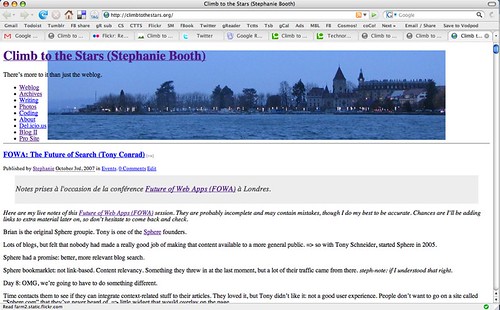
Flickr: great example (and great photosharing service too, sign up today).

Flickr Blog -- Corporate Blog Example

[43] Look at that outage notice. It’s fun! Really fun. And there are updates. Two of them. As a user/customer, I feel that they give a damn.

Flickr Blog -- Corporate Blogging Example

[44] Coverage of what’s going on in the community. Blogging is a lot about community, nurturing it.

Flickr: it's not just blogging

[45] Here, a forum post. It’s not just about blogging, remember the “bigger picture”? But same kind of attitude. How you engage with others in the community. Treat them as people and not like numbers. Look at how well this issue is documented, with links and all — and this is a “problem situation”. We’re not shoving the dirt under the carpet here.

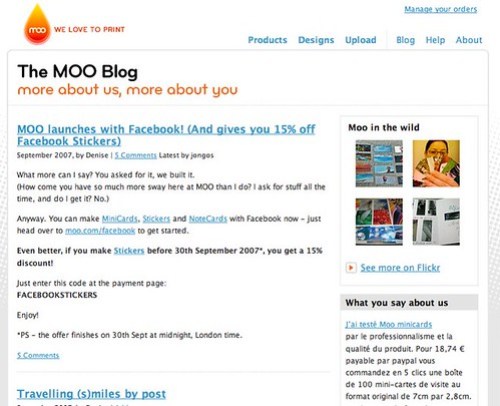
Moo note: if you got a business card from me, this is where they come from!

MOO | Blog -- Corporate Blogging Example

[46] So, this is a promotional posting (ad, marketing, oh my!) but look… it feels like she was e-mailing a friend, rings true.

Up for debate (bloggers will tell you “yes”): can you feel if somebody put his/her heart into a post?

[47] Closing notes:

Blogging is a strategy. Deep change in communications. Not pushing a message anymore, but

  • conversations
  • relationships
  • trust
  • people

The question to ask is:

Is my company/department/team ready for this?

Blogging is a grassroots phenomenon, so bottom-up (you can’t force people to be passionate about something and blog about it), but needs support from top-down. There are maybe already blogs in your company, and you might not know it!

Read The Cluetrain Manifesto and Naked Conversations to start. (I’m serious.)

Eat your dog food. If you’re going to introduce blogging in your company, you need to start blogging — before. Open a WordPress.com account and start writing about stuff you’re interested in. Use your blog as a backup brain, writing things as they occur to you. For you first, and for sharing with others in case it’s of interest to them.

Blogging is technically cheap, but culturally expensive.

[48]

Some extra stuff, off the top of my head (some from off-presentation discussion):

Blogging tools: WordPress, Movable Type and Typepad (SixApart), Drupal.

Looking up stuff in blogs: use Technorati or Google BlogSearch. Use Technorati Cosmos to see who linked to a given blog post.

The “Because Effect”: I make money because of my blog, not with my blog.

Discussion of trust and reputation in the blogosphere. Auto-regulating medium.

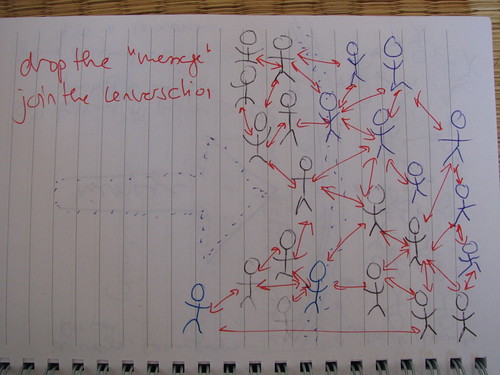
A few sketches I made while preparing this talk, but didn’t use:

Cluetrain 101 Sketch 1

Cluetrain 101 Sketch 2

Cluetrain 101 Sketch 3

Open-sourcing the invitation copy.

Good example of an “event blog”: LIFT conference (and go to the conference, too, it’s a great event).

promotional 😉 note: if you would like to have me come and give this talk (or another!) elsewhere, please don’t hesitate to get in touch. This is one of the things I do for a living.

Finally Getting Tumblr [en]

[fr] Un tumblelog, c'est un blog réduit à sa plus simple expression: des articles, des liens permanents, un fil RSS. Pas de commentaires, pas de gadgets, pas de tags, pas de catégories. Un bookmarklet permet de facilement choisir entre six sortes de billets prédéfinis (texte, citation, lien, photo, chat, vidéo) et devine même pour vous si vous le cliquez depuis une page web.

C'est un lieu idéal pour bloguer en passant, au fil des lectures. Noter une idée en vitesse. Mettre en valeur une photo ou une vidéo qu'on a appréciée. Prendre des notes sous forme de citation lorsque l'on lit.

I’ve had a tumblelog since February of this year, but it’s taken me a long time to figure out where it fit into my online presence.

I first tried importing everything into it, but that was a mess. Jaiku is better when it comes to lifestreaming, for the moment. (Wow, just checked, and Suprglu’s still alive — head there if you want the “fuller” version of my lifestream… with the lag, though.)

Anyway. This is what I publish on it nowadays: comments from other blogs, screenshots, quotes, and passing thoughts.

Let’s take a closer look.

What on Earth is This Tumblelog Thing?

A tumblelog is a blog stripped of all the non-essential stuff: no categories, no comments, no monthly archives, no fancy layouts, widgets. What is left? Posts, permalinks, RSS feeds… and a simple, no-nonsense layout.

Tumblr

Back in 2000 when I started blogging, the revolutionary thing about blogging tools (which at the time meant Blogger, there weren’t that many others) was that they made it dead easy to publish things online.

Tumblr has focused on that. Make it simple. Remove everything that gets in the way. Make the act of blogging so effortless that it can really become a true backup brain.

It’s a place for passing thoughts, interesting links, a video here or there. No time lost for anything else than the act of posting. Whatever you do, don’t think before posting.

A tumblelog is really a “me first!” thing. Stuff for me, first. Maybe you’ll find it interesting too — but if you don’t, no heat.

What I’m Importing

Tumblr Feed Settings

At the beginning, as I said, I imported everything into my Tumblr. But then, I wanted to import my Tumblr into my lifestream on Jaiku, and I ended up with duplicate content.

I decided to remove all my imports from Tumblr except for comments — through coComment. Comments on other people’s blogs are an important part of my online activity, and they deserve to be “kept” somewhere. CoComment does that, of course, but not in a really comfortable way for readers (the RSS feed is fine, and included on my blog, but it’s only the last comments). Reminds me that I never wrote that post about the disastrous launch of the 2.0 version, btw. Oh, well.

So, my comments go in my Tumblr.

During my stay in San Francisco this summer, I was converted (quite easily) to Skitch by Mr. Messina, and since then, my flickr photostream has seen the arrival of a great many screenshots. I feel like I finally have a camera to take photographs of my online life — as soon as I see something of note or bump into a problem, Skitch allows me [http://flickr.com/photos/bunny/tags/skitch](effortlessly upload a screenshot).

These screenshots are a narrative of my online wanderings, and as such, deserve to be displayed in a timeline separate from my thousands of photographs.

In the Tumblr they go.

What I’m Posting

So far, I’ve found two really important uses to Tumblr: quotes and thoughts. The Tumblr bookmarklet is smart enough that it recognizes that I want to post a quote if I select some text on the page before clicking it:

Posting a Quote to Tumblr

This makes posting quotes dead easy. It’s suddenly made my online reading way more valuable: I’ve always read books taking notes on what I was reading, copying quotes so I had them handy in the future — and when a lot of my reading shifted online, I lost that. With Tumblr, I’ve found it again. (Finding the quotes will be trickier, I hope Google’s indexing of the Tumblr will be sufficient.)

The Tumblr Dashboard has six pre-set types of posts: text, photo, quote, link, chat, video.

Tumblr Dashboard

These pre-set post types offer different formatting and posting forms.

I’ve started to use the text post type to jot down random thoughts that occur to me, or notes to myself. For example, I’ve spent quite a bit of today thinking about a talk I’m going to give tomorrow, and jotted down some thoughts like this one.

As you can see, Tumblr allows me to link to an individual post.

A few times, I’ve also posted snippets of chat/IM conversations.

Satisfaction Looks Neat [en]

[fr] Un outil de "customer care" qui permet d'une part aux "clients" de s'entre-aider, et au personnel de participer à la conversation. Ça semble vraiment pas mal! Quelques petits problèmes après 20 minutes d'utilisation.

I read about Satisfaction yesterday somewhere and saw it again today in Brian Oberkirch’s blog. I went to sign up and give it a quick toss around. Here are the first screenshots.

The nice thing is that as this is a support tool, I used it to record the problems I bumped in too.

Satisfaction: submitting a problem_idea_question_chat

I think it’s a pretty neat tool and I’m going to use it in future when I bump into problems, in addition to posting them to Flickr with Skitch. It’s community-based support, but with an option for company employees to participate with a “label” that identifies them as staff.

The first thing that annoyed me was that I had trouble finding where to change my profile photo. I clicked on “Account” and expected to find something there, but in fact it’s under “Dashboard”.

Satisfaction -- change image

Here is the topic I created about this problem.

Next issue, a rather important workflow/design flaw:

Recently active topics in Satisfaction Unlimited about Satisfaction Beta Release

I was a bit wordy in explaining it (early Sunday morning here), but I hope this makes sense:

Ideally, when fill in the first “chatbox”, I’m going to want to check out the links before saying “not quite right, want to add details and submit”.

Unfortunately, once I’ve done that, it seems I can’t come back to the page with the link inviting me to “add details and submit”.

That doesn’t encourage me to click the links and check out first! It encourages me to go straight to “add details and submit”.

So, if those links are really expected to be useful, encourage me to click on them by providing the “add details and submit” form on them too.

Last but not least:

Get Satisfaction: two gripes

  1. If you’re telling me that I’m set to receive e-mail updates, that’s really nice of you — but it would be even nicer to give me a link to where to change it.
  2. Please, please, please. Space-separated tags. At least support them. I’ve talked about this elsewhere (and before, too, but I can’t remember when or where). It breaks the current input model we’re used to (del.icio.us, Flickr…). It makes us type an extra character.

Go try out Satisfaction!

Tag-Related Wishlist [en]

[fr] Mes idées/prédictions/désirs pour l'évolution des tags et des technologies associées.

I told you my mind never stops spinning, didn’t I? Here are a few follow-up thoughts on my previous post on tags. View this as my brain dump of what I’d like tags to do in WordPress and around.

Bear in mind that I haven’t tried 2.3 yet, don’t know exactly what it does and doesn’t do, and haven’t done much homework. So (hopefully!) some of the stuff I’m speaking about here already exists. If it’s the case, please leave a note with a pointer in the comments.

Some of the stuff here might also be stupid. If it is, please tell me.

I don’t think all this should necessarily be in the WordPress core. Plugin makers, feel free to delve in here for inspiration. If I like your plugin, I’ll plug it.

Links Between Tagspaces

So, based on what I’ve understood, WP2.3 will provide a local tagspace. This means that if I tag a post “cat”, the link on that tag will take me to something like myblog.com/tags/cat. That’s cool.

But I want more.

I want the myblog.com/tags/cat page to contain configurable pointers to other tagspaces. For example, my Flickr photos tagged “cat”. My del.icio.us links. My videos. The Technorati tagspace.

See what I mean?

Somewhere, WordPress would ask me “What other tagspaces would you like links to?” and I’d enter “http://flickr.com/photos/bunny/tags/”, “http://del.icio.us/steph/”, “http://www.viddler.com/explore/steph/tags/”, “http://technorati.com/tag/” in some pretty form (we know how to do those now, don’t we?)

Alternate Tagspaces

Some people may not want to use the local tagspace. Hell, most people who tag their posts right now point to the Technorati tagspace. An option to do so could be nice.

Tag Combinations

I’d like my local WordPress tagspace to allow tag combinations. This is the stuff I wrote about nearly 3 years ago. Del.icio.us does it: here are my links tagged “books” AND “read”.

We need more of this, particularly if we start thinking multilingual. I want to be able to point to a page containing posts I tagged “adolescents” OR “teenagers” OR “ados” or “teens”. I use all those, but I’m sure (given the nature of tagging) some posts have slipped through the cracks and have only one or two of these tags.

Less multilingual, maybe I just want to have “cats” or “cat” (sometimes I use plural, sometimes singular, and the distinction isn’t important to me in this context).

Related Tags

Del.icio.us does this. My local tagspace pages should have this feature too.

And how about an option to be able to see (in a click) posts tagged “cat” AND all the posts tagged with one of the related tags? (This could become a bit unwieldy though.)

Tag Management

The “obvious” stuff. Rename tag “stephaniebooth” to “Stephanie Booth” everywhere it is. (Flickr does this well.) Merge tags. Add a bunch of tags to all the selected posts (result of a search or by-category selection). Remove tag X from all posts which are tagged Y.

This is the kind of stuff I wanted to make possible for categories when I wrote Batch Categories, a lifetime ago. I haven’t touched this “hack” for years now, and I’ve heard conflicting information about its compatibility with recent WordPress versions. I think somebody somewhere updated it for WP2.x — if you search you might find it.

Public Tagging

Now, this would be a source of tag spam, unless it’s for example limited to registered users of the blog, or people identified by OpenID or on a “trust list” (e.g. people who have commented on the blog before). I’ve encouraged people to open up tagging to the community on Flickr, and the feedback from those who have done it has been great. I’d like a way to do this for my blog posts, too.

I’m sure structured portable social networks have a part to play here.

More Importing/Conversion

Ages ago, I added keywords to my blog posts. (I now know it’s not very useful — maybe even, not at all.) Around the same time, I used Topic Exchange Channels for some of my posts, making the ITE channel visible on the post by adding a link to it (gosh, come to think of it — I hadn’t heard of tags yet, but what I was doing was some form of proto-tagging… quite impressed with myself!)

Anyway, leaving the self-congratulatory stuff aside, my wp_postmeta table contains old information about posts which has long since disappeared from this blog, but which is still there, ready to be recycled. I could turn those old keywords and ITE channels into tags with an importer.

So, how about a very “customizable” importer? I would give the meta field name I want to convert to tags, and indicate if the tag data is comma-separated, space-separated, or simply placed in multiple fields.

(For my old keywords, there is one meta field called “keywords” which contains a comma-separated list of words, whereas for the ITE channels there is one entry per channel called “ite_topic” (IIRC) with a unique word as a value — but there can be more than one channel per post.)

So, “manual importer”, anybody?

That’s All, Folks!

There, I think I’ve told you what was on my mind. Feedback welcome. And plugins. Code. Solutions.